A radical dock.
A better desktop.

Keep your apps, plans, music, and Mac controls together in a native second dock. Radical Dock puts the things you reach for right where you need them.

Get Radical Dock — $29.99
  • Pay once
  • Updates included
  • Your own layout
  • macOS 14 or later
  • NativeMade for macOS
  • PersonalYour layout, your tools
  • LocalYour setup stays with you
  • YoursOne payment, no renewal

Less switching.
More doing.

Put the useful parts of your Mac in one place. A glance for the time, a click for an app, a home for the tools you use every day.

  • Live widgets
  • Quick actions
  • Apps & folders
  • Calendar
  • Reminders & todos
  • Weather
  • Music
  • System stats
  • Search
  • Clipboard
  • Screenshots
Radical DockFile   Edit   ViewFri 9:41
ApplicationsTime and datePomodoroCPU usageMemory usage
See Radical Dock in actionProduct tour · Video coming soon

A place for everything.

From the first app you open to the last task you check off. Build your dock from the things that make your day work.

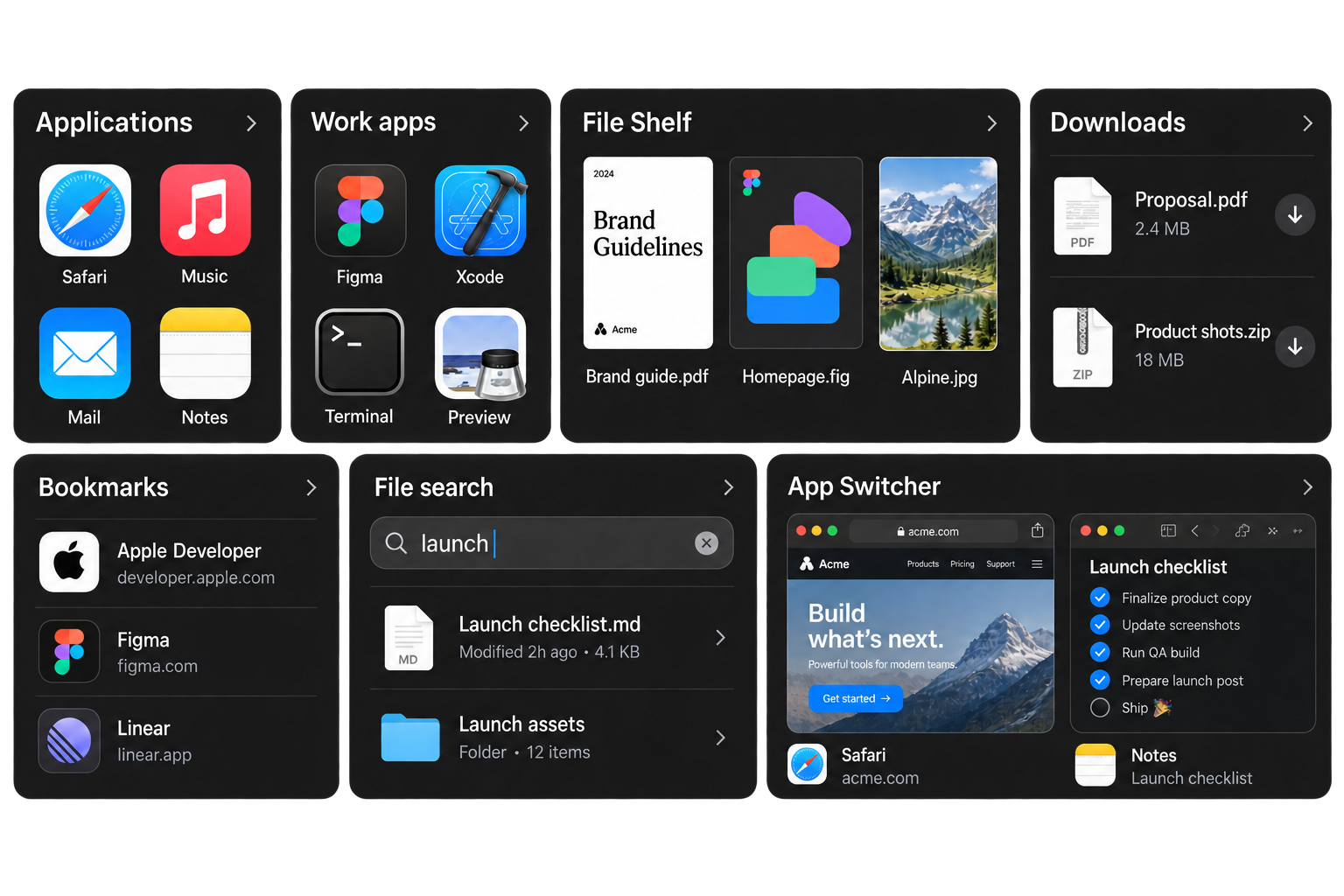
Apps, files & quick access

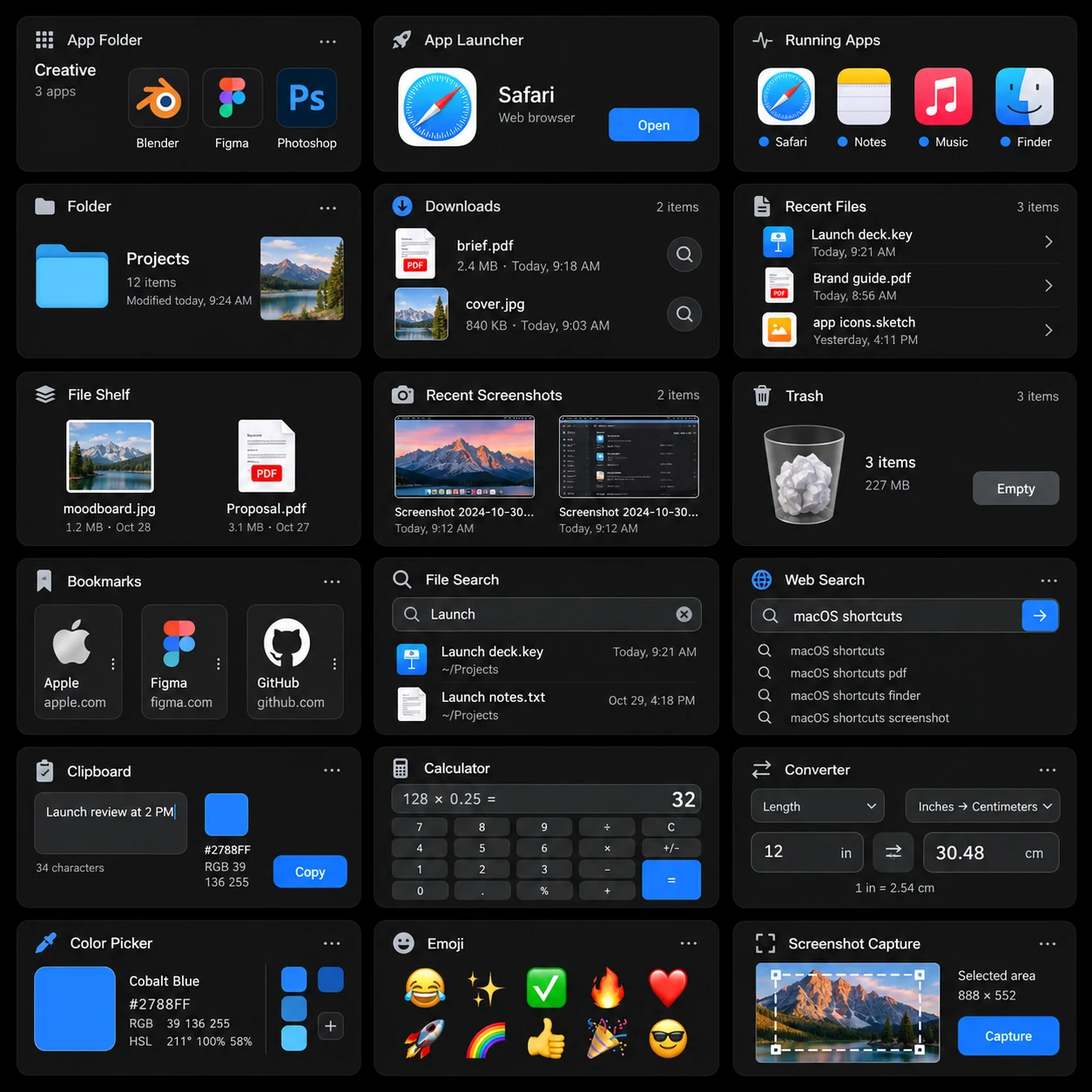
Your most-used apps and files, together. Browse the application gallery, pin a folder, save a link, or keep working files on your shelf.

Includes: Applications, App Folder, Downloads, File Shelf, Bookmarks, Search, App Switcher.
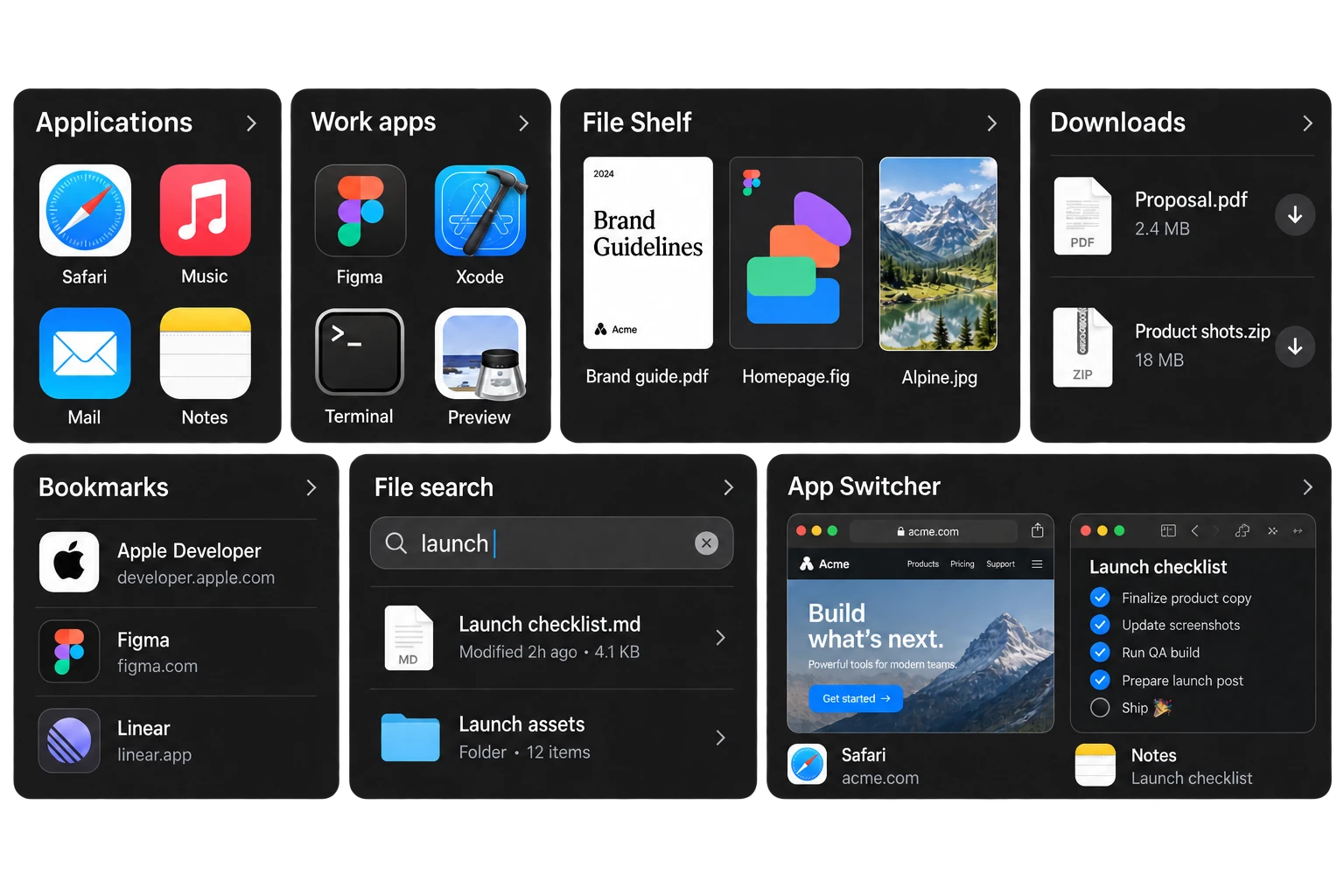
Populated app grids, named files and downloads, saved bookmarks, a launch file search, and Safari and Notes window previews.

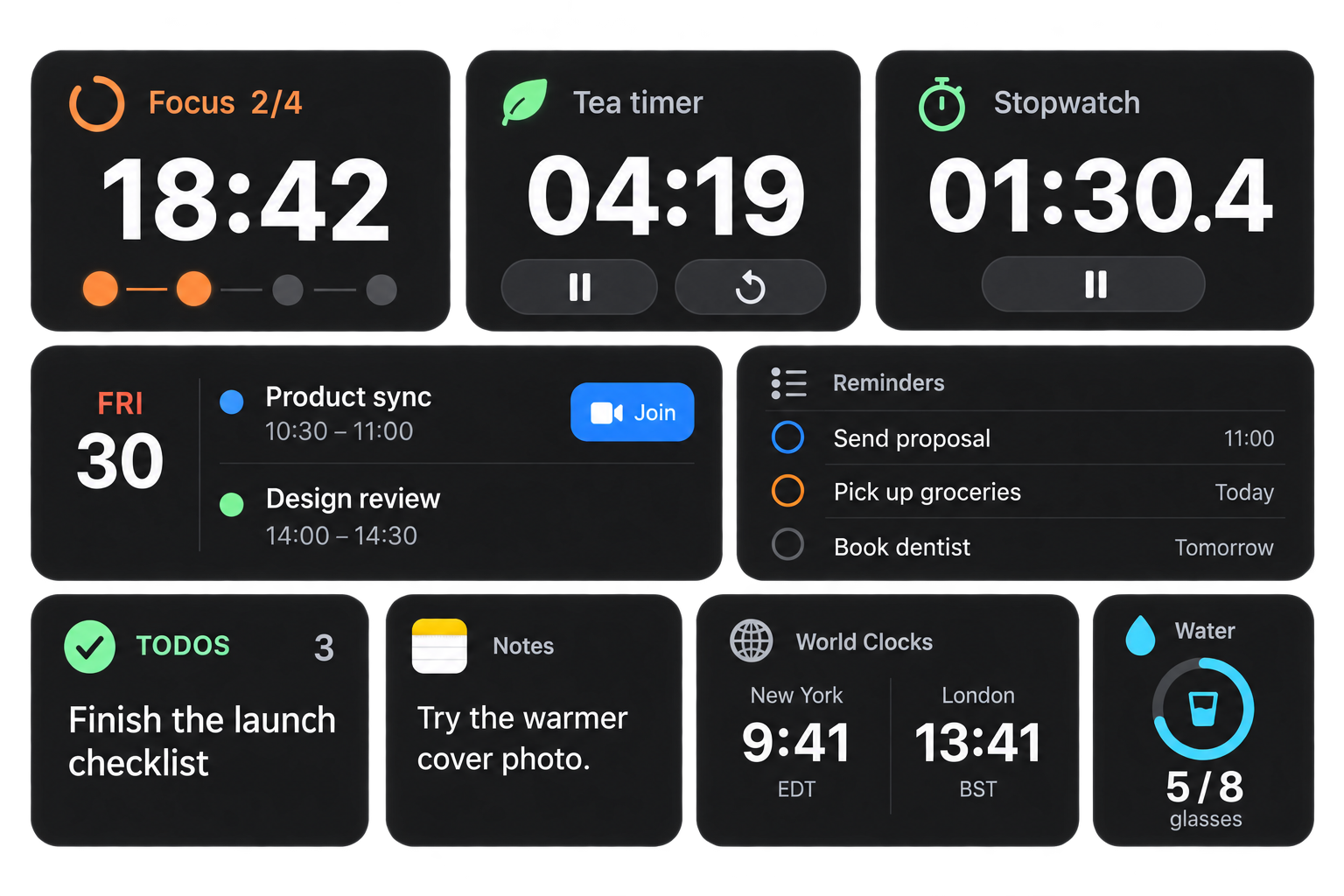
Productivity & daily focus

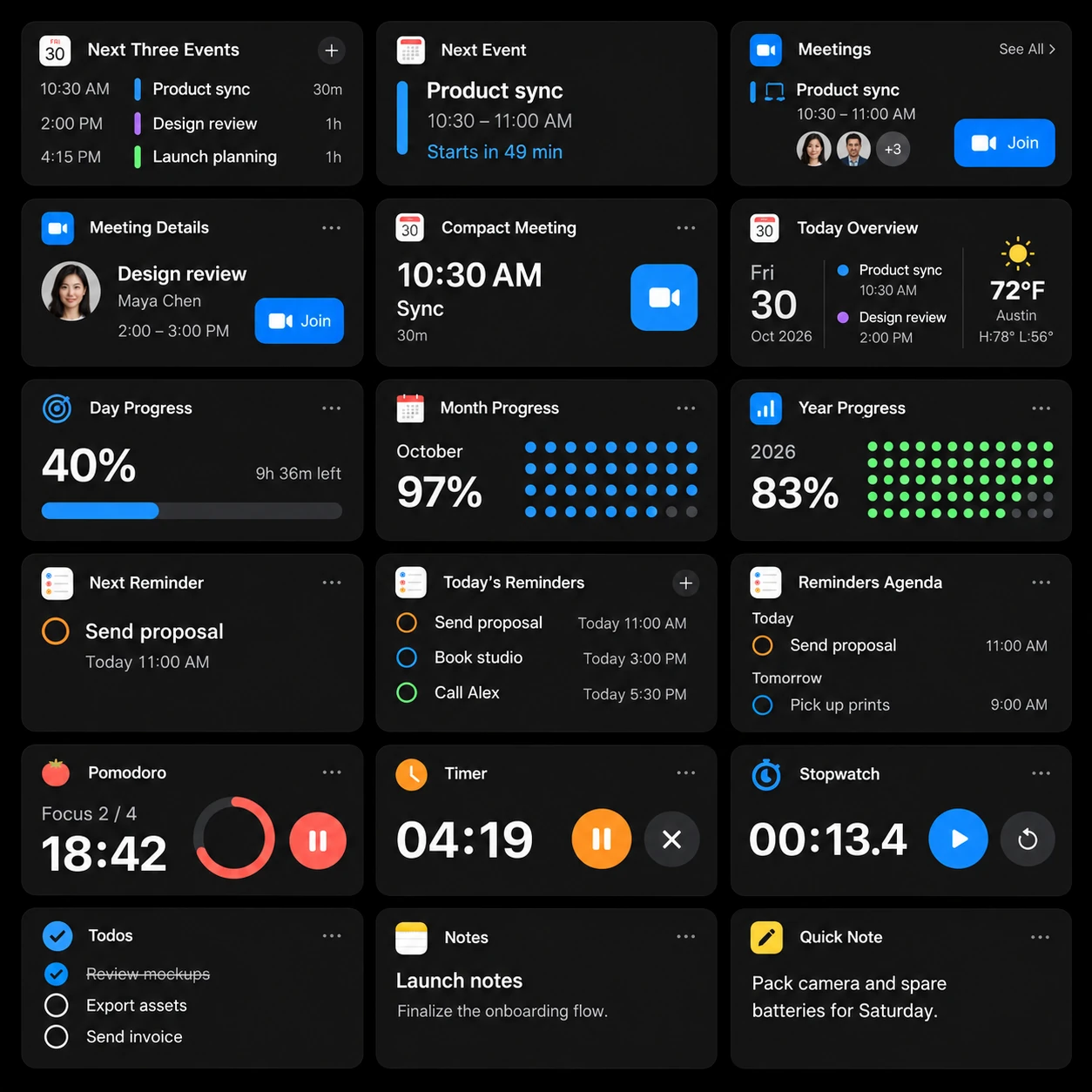
See the day ahead without losing your place. Keep time, plan a focus session, check a task, and put the next thing you need in view.

Includes: Pomodoro, Timer, Stopwatch, Calendar, Reminders, Todo, Notes, World Clocks, Drink Water.
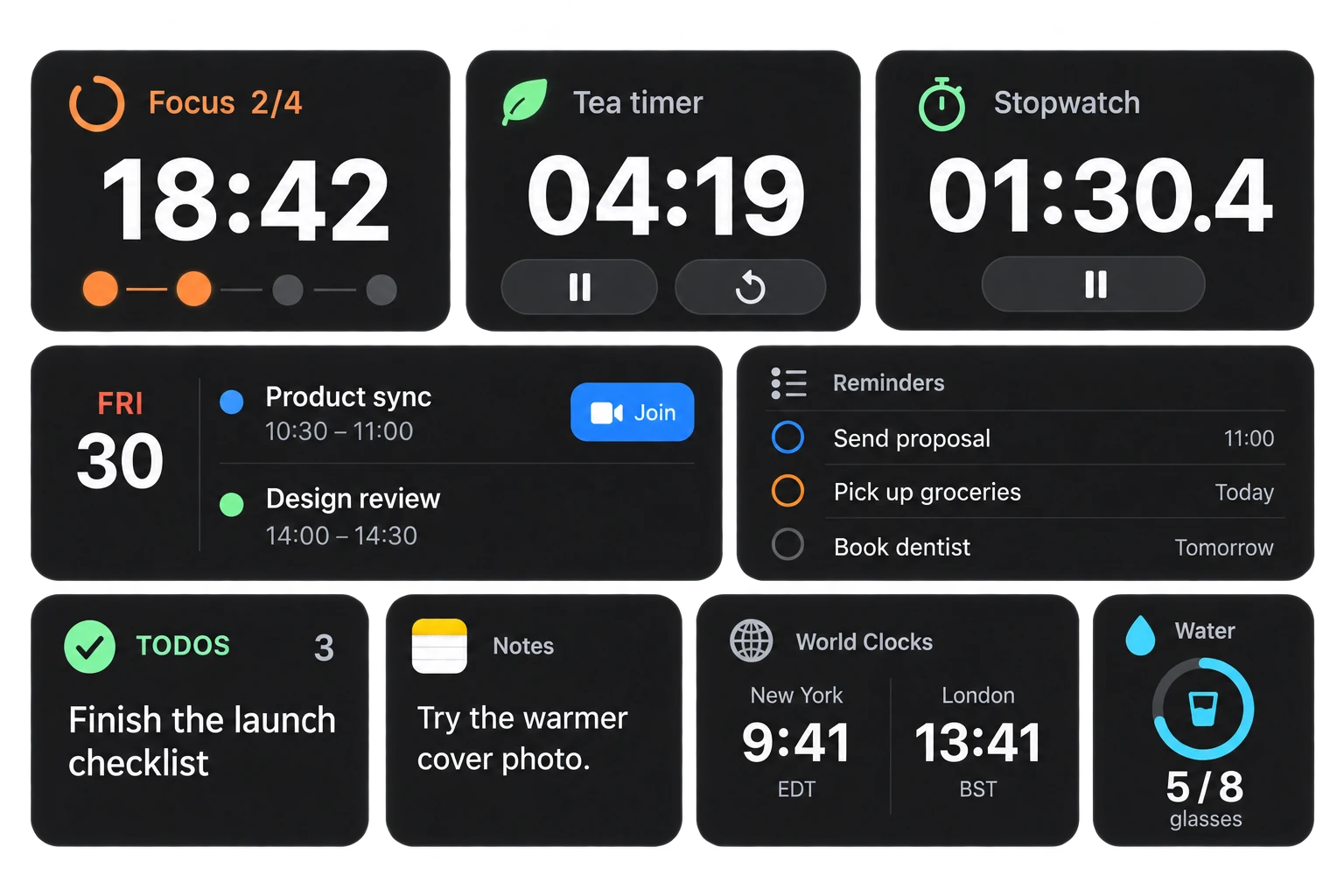
A focus timer at 18:42, scheduled meetings, reminders, three todos, a saved note, world clocks, and five of eight glasses of water.

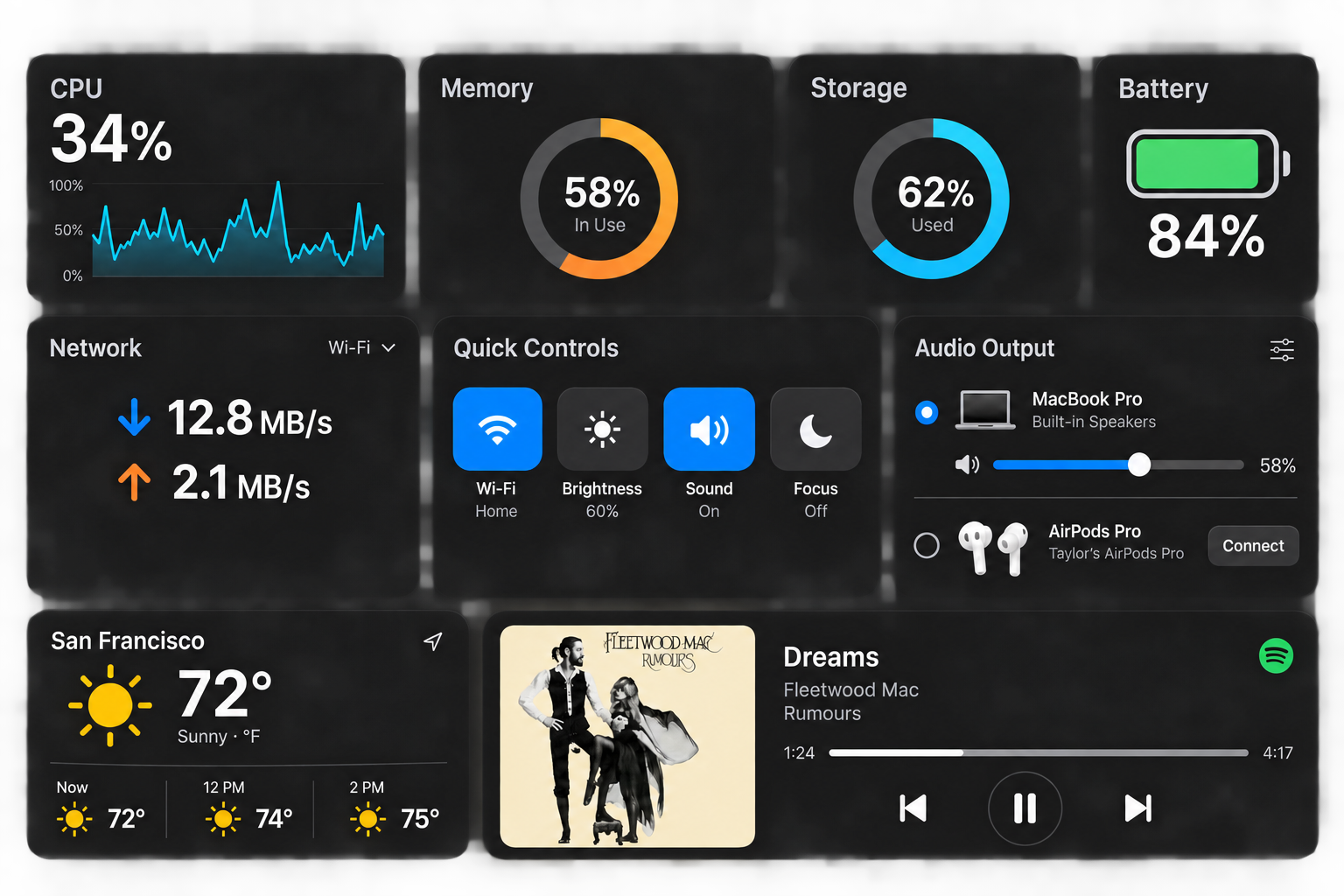
Mac controls & system tools

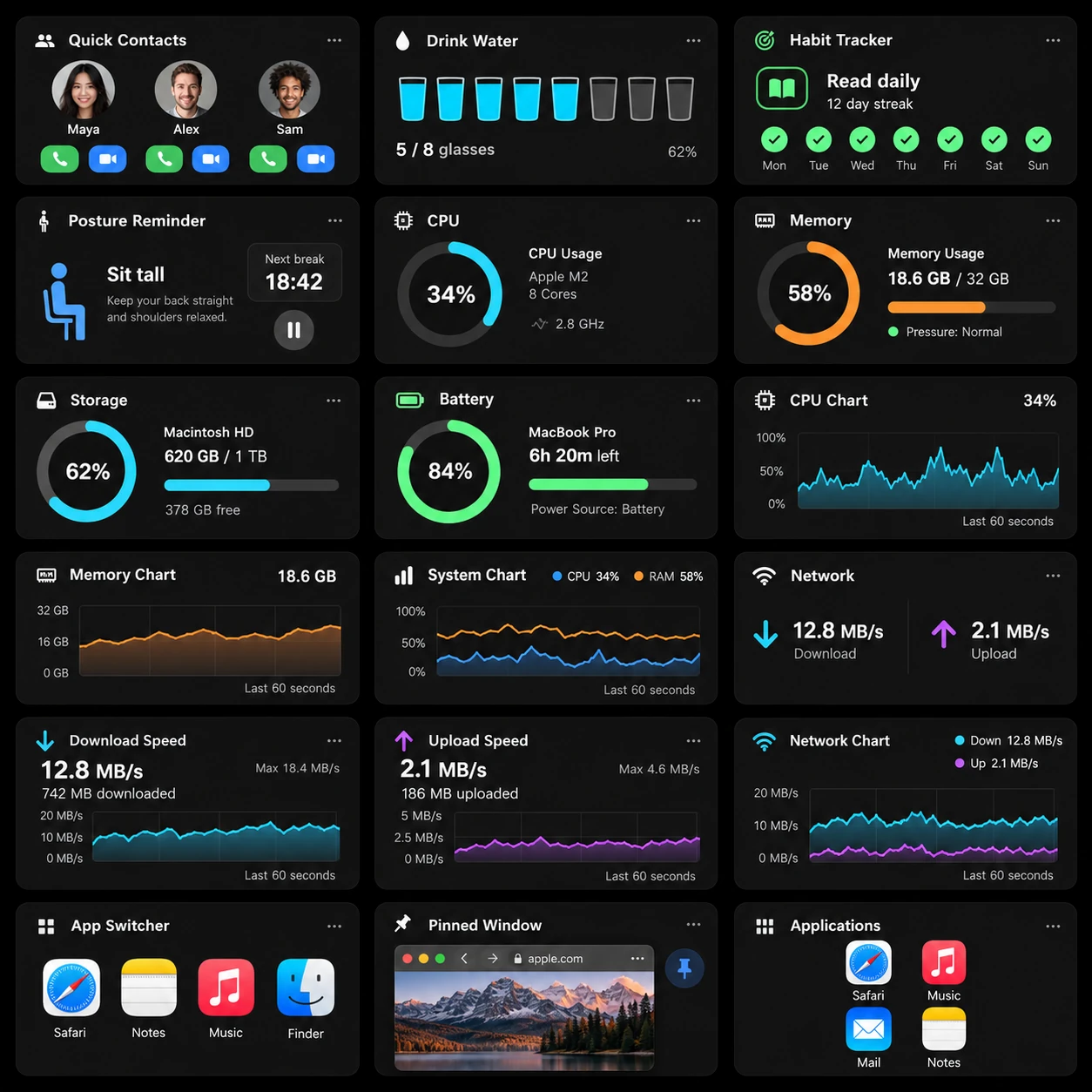
Give everyday controls a permanent home. Watch system activity, reach your audio settings, and keep useful Mac actions one click away.

Includes: CPU, Memory, Network, Storage, Quick Toggles, Audio Output, Battery, Weather, Now Playing.
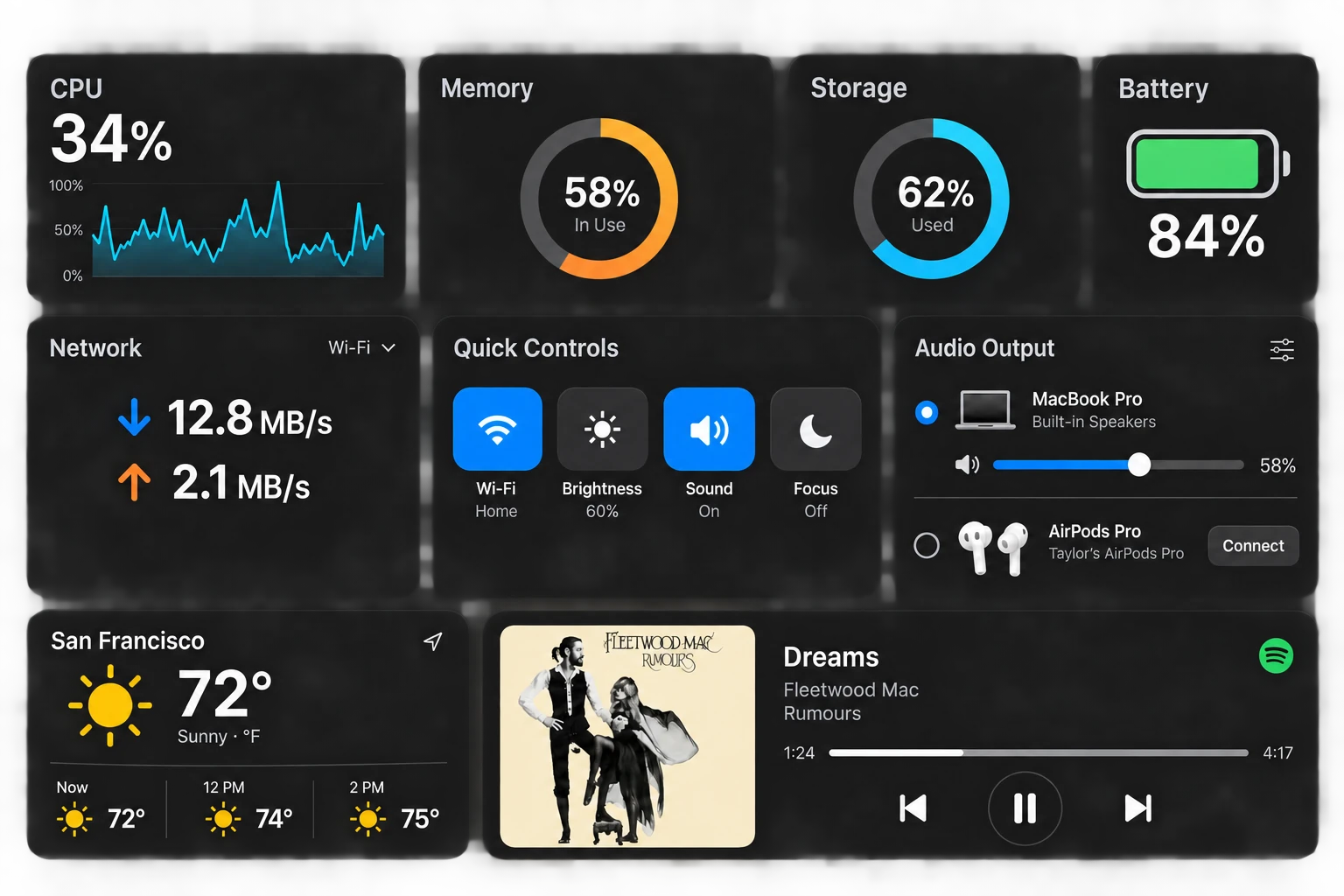
CPU at 34 percent, memory and storage readings, network activity, audio controls, 72 degree Fahrenheit weather, and Dreams by Fleetwood Mac with album artwork.

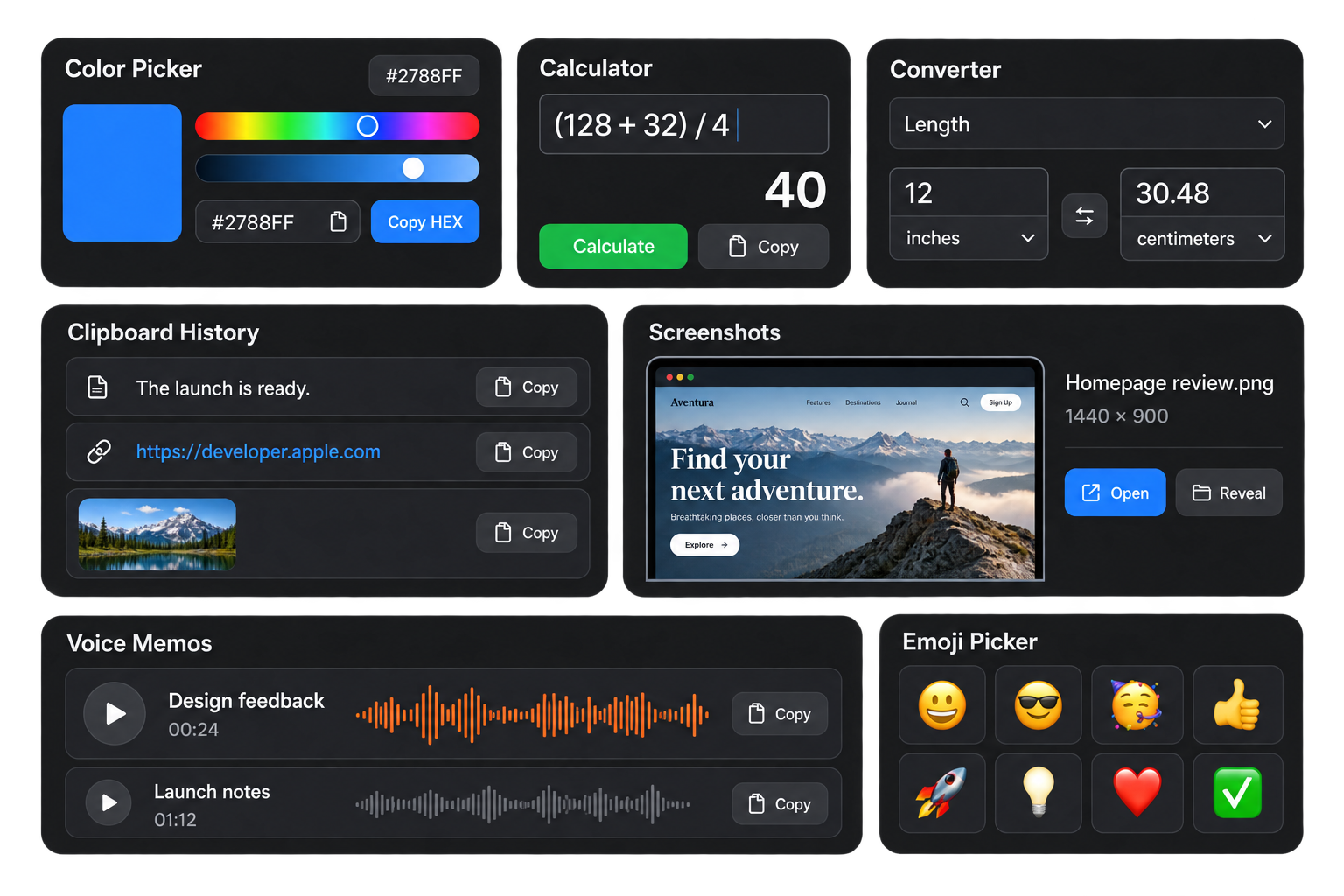
Creative tools & utilities

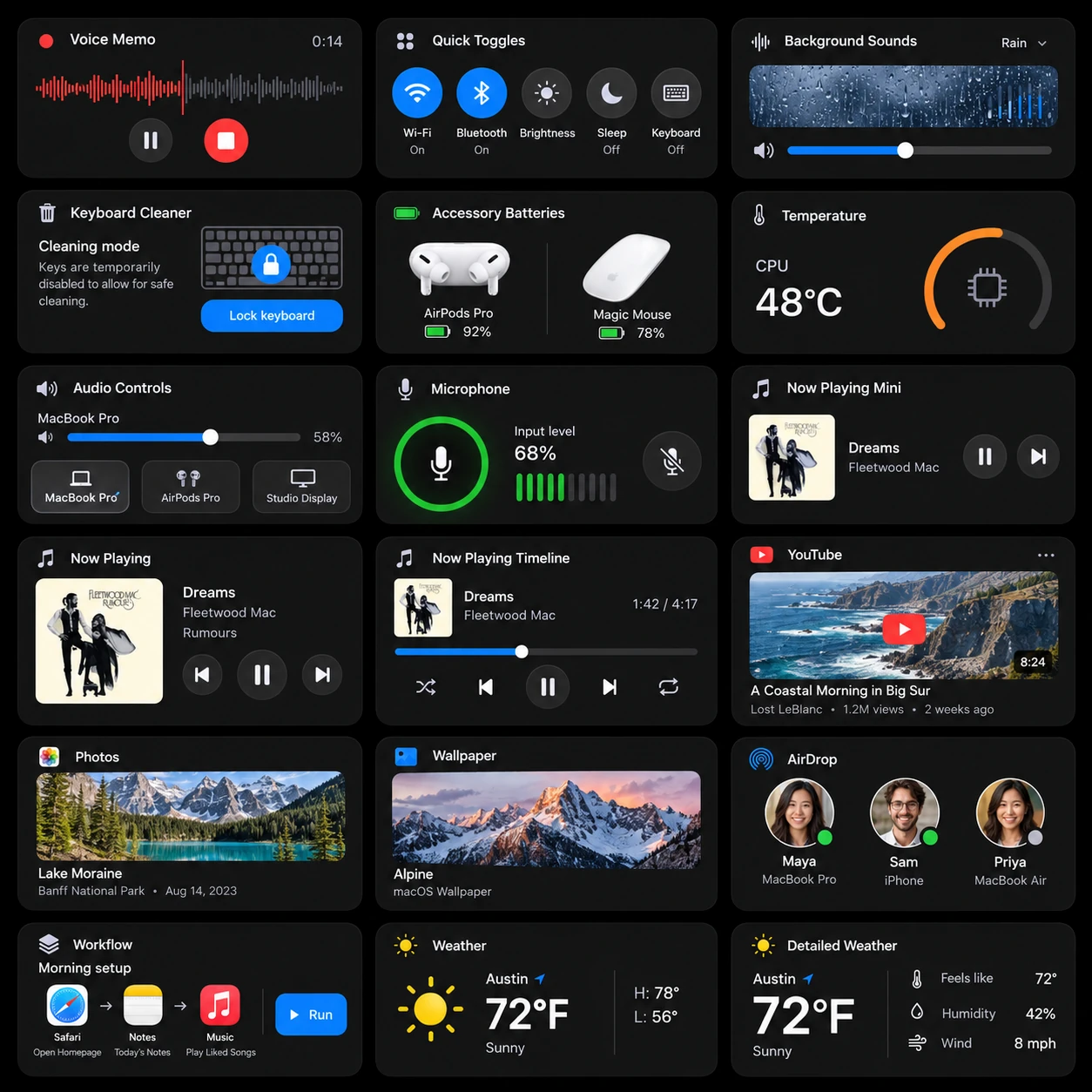
Keep the small tools close while you make something bigger. Capture a color, work out a number, convert a unit, or collect a quick thought.

Includes: Color Picker, Calculator, Converter, Clipboard, Screenshots, Voice Memo, Emoji.
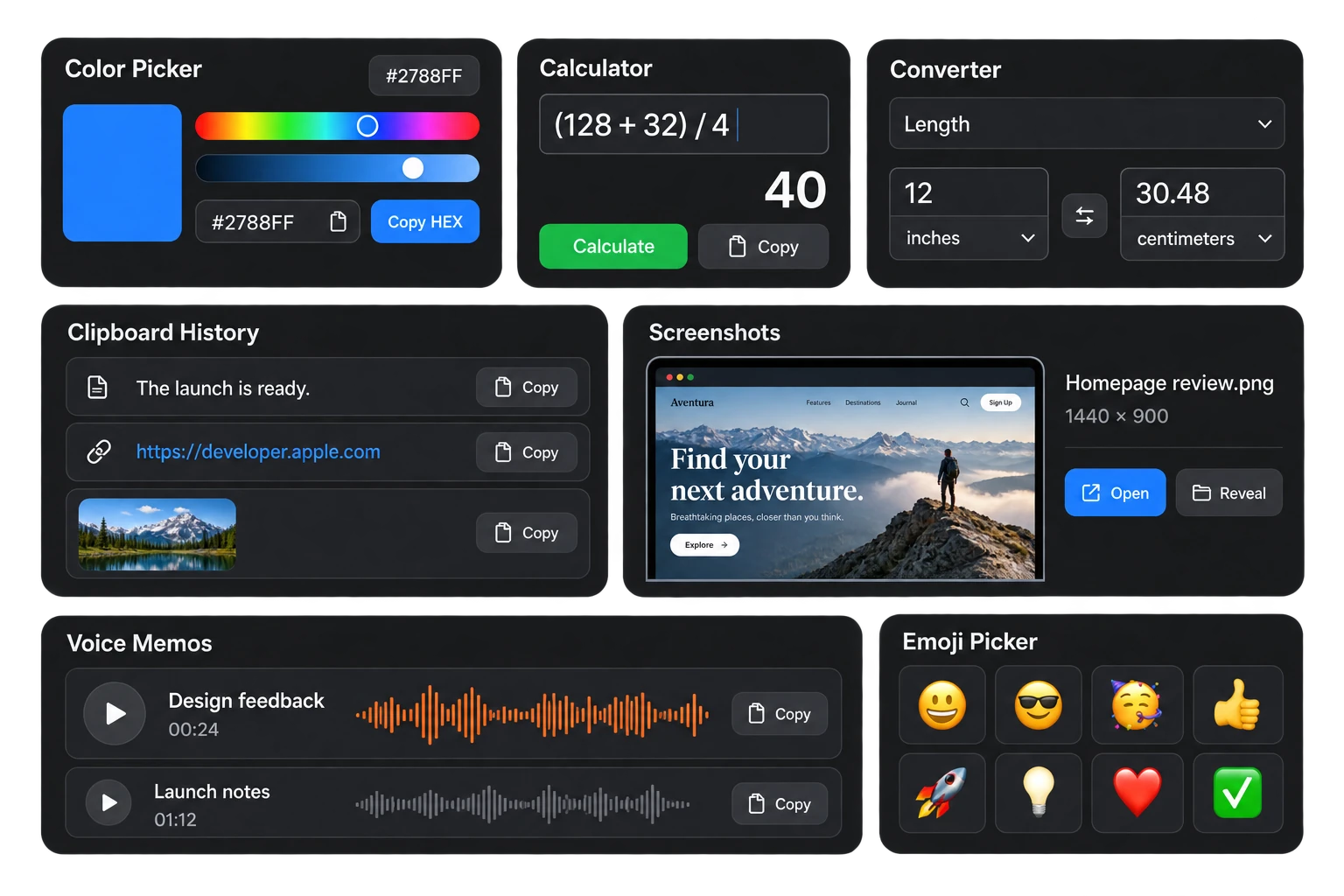
Blue color swatch #2788FF, a calculation returning 40, 12 inches converted to 30.48 centimeters, clipboard entries, a screenshot, saved voice memos, and emoji.

Business at a glance

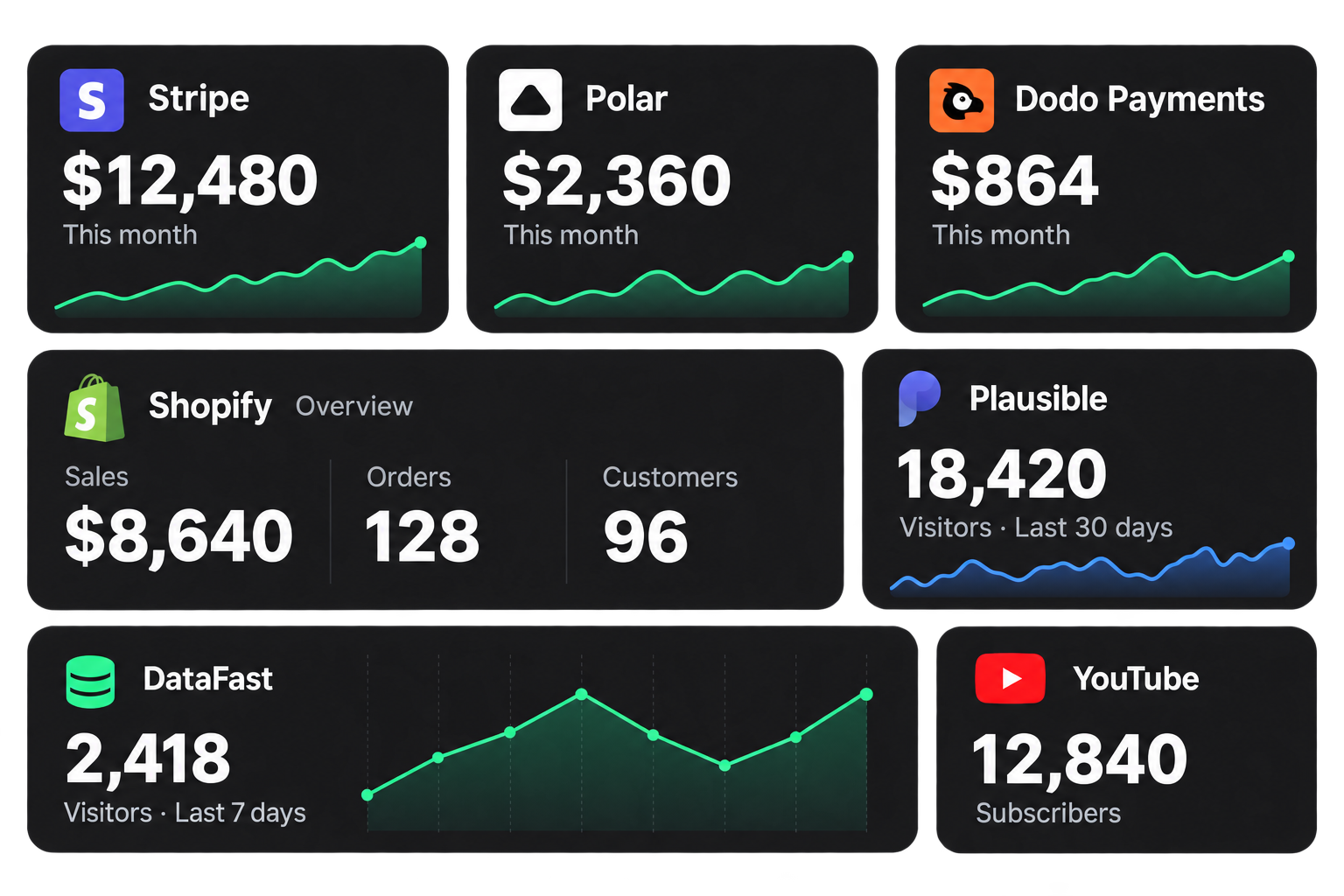
Connect the services behind your business and keep their updates together. Add the integrations you use, then arrange them around your day.

Includes: Stripe, Polar, Shopify, Dodo Payments, Plausible, DataFast, Social Followers.
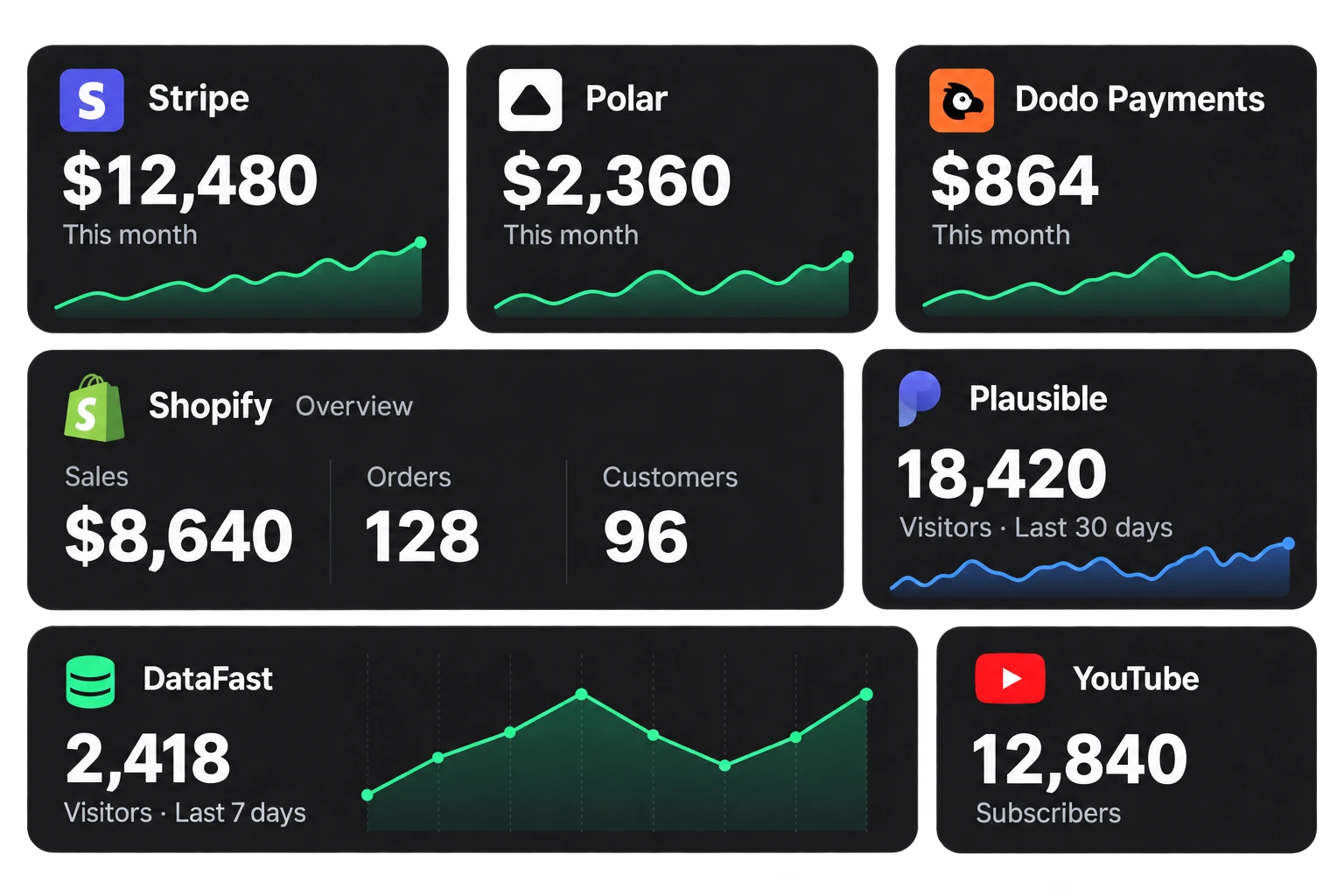
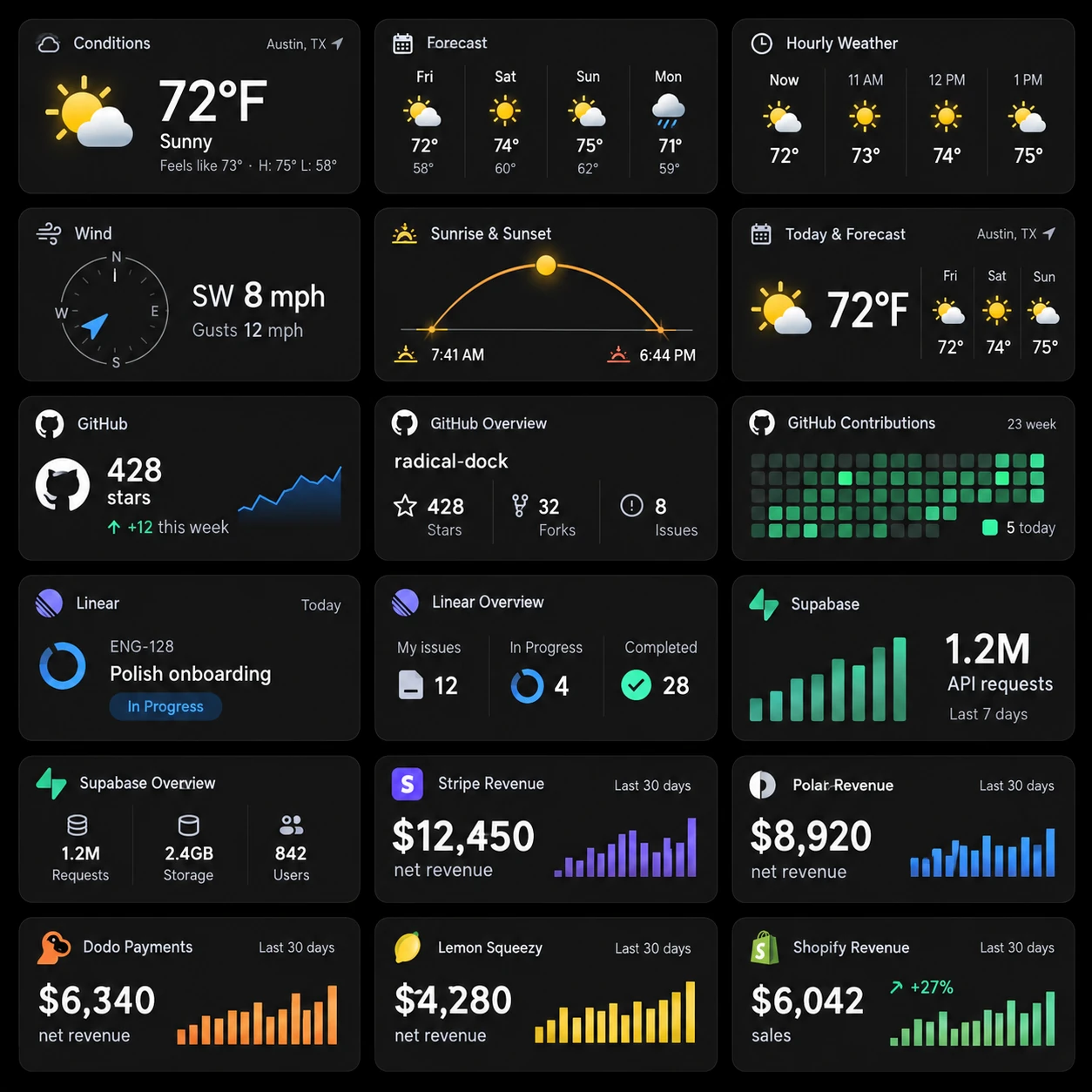
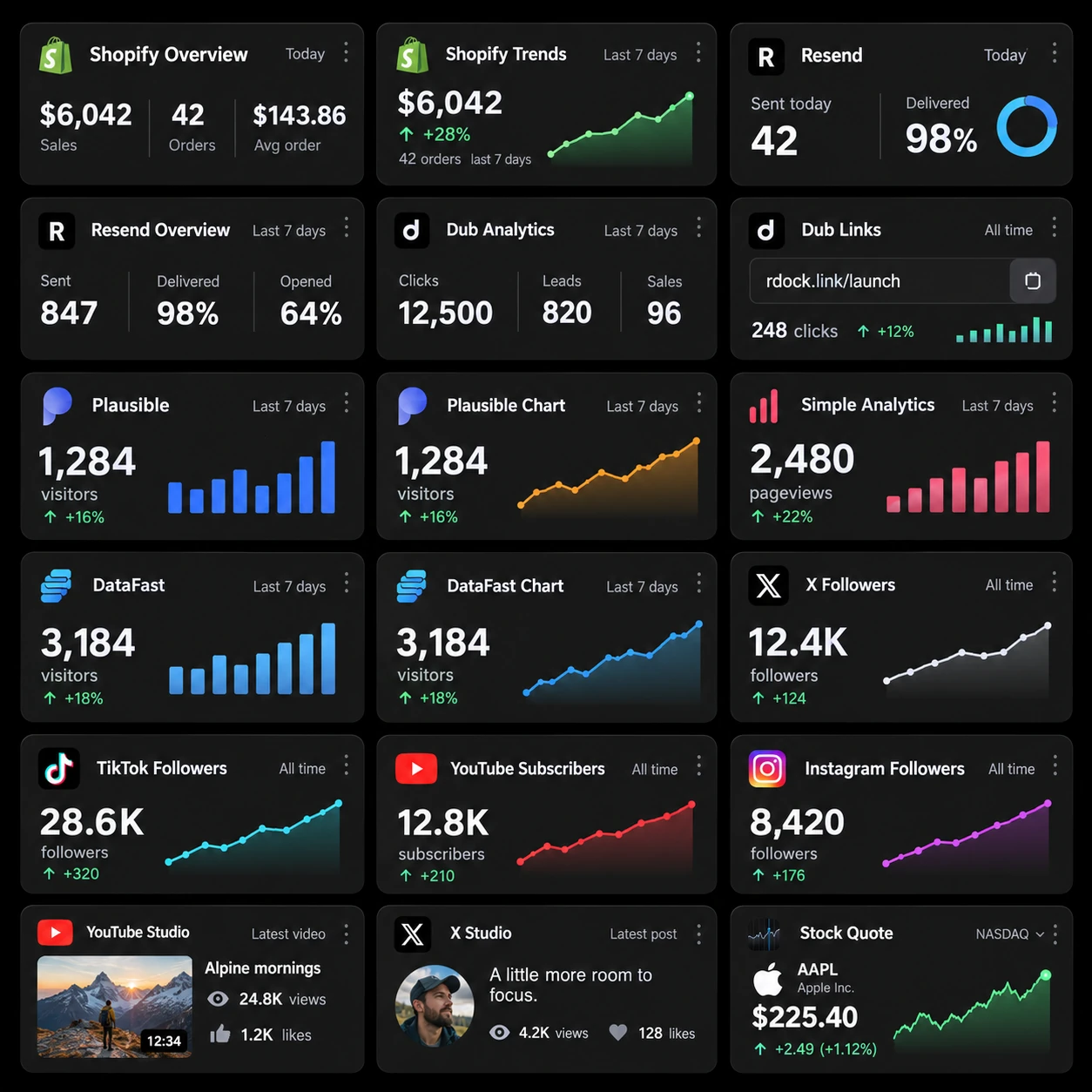
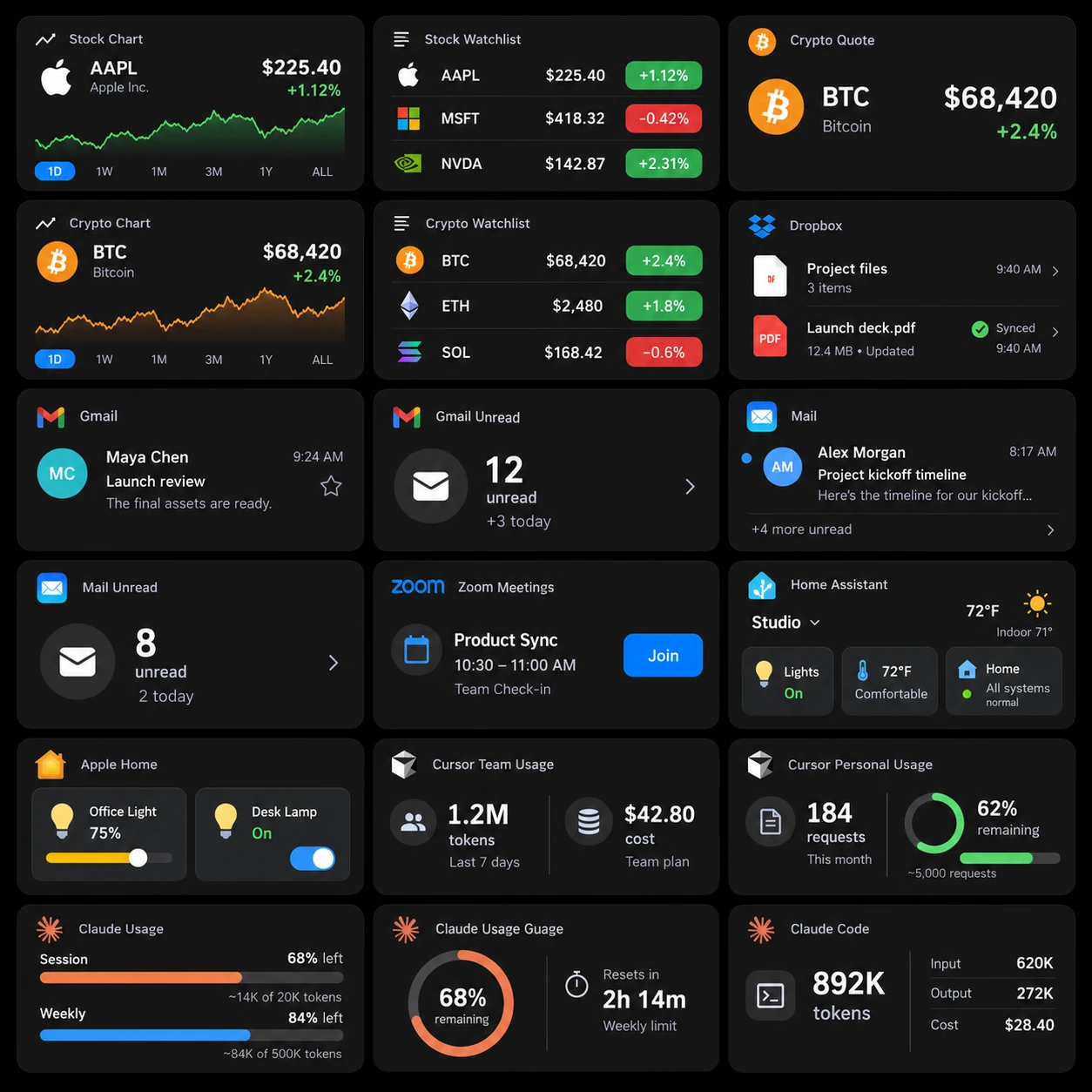
Illustrative connected account data for Stripe, Polar, Dodo Payments, Shopify, Plausible, DataFast, and YouTube, with revenue, visitors, orders, and subscriber counts.

A home for your dev tools

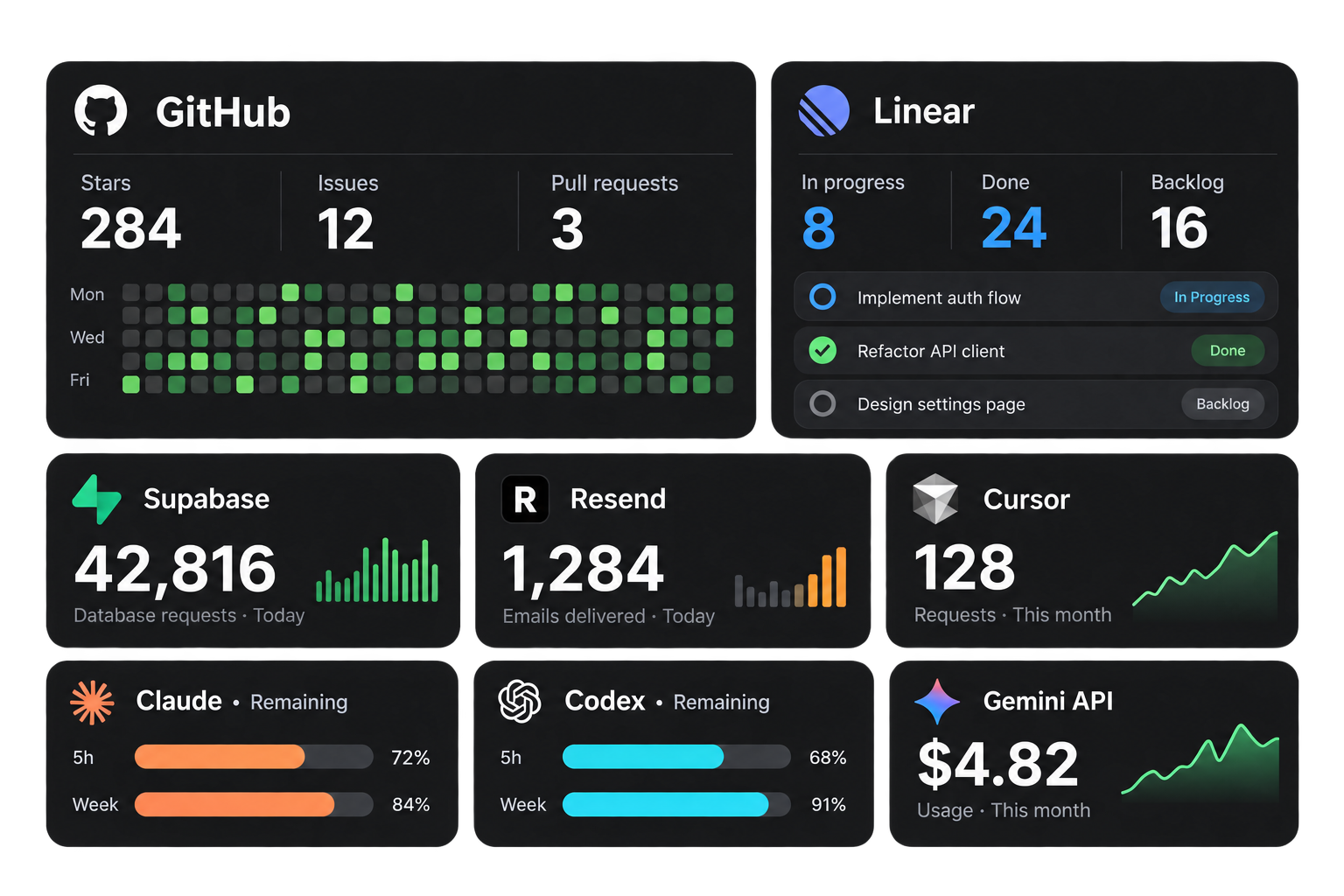
Bring your projects, services, and AI usage into the same workspace. Each integration has its own setup, so you connect only what you need.

Includes: GitHub, Linear, Supabase, Resend, Claude, Codex, Cursor, Gemini.
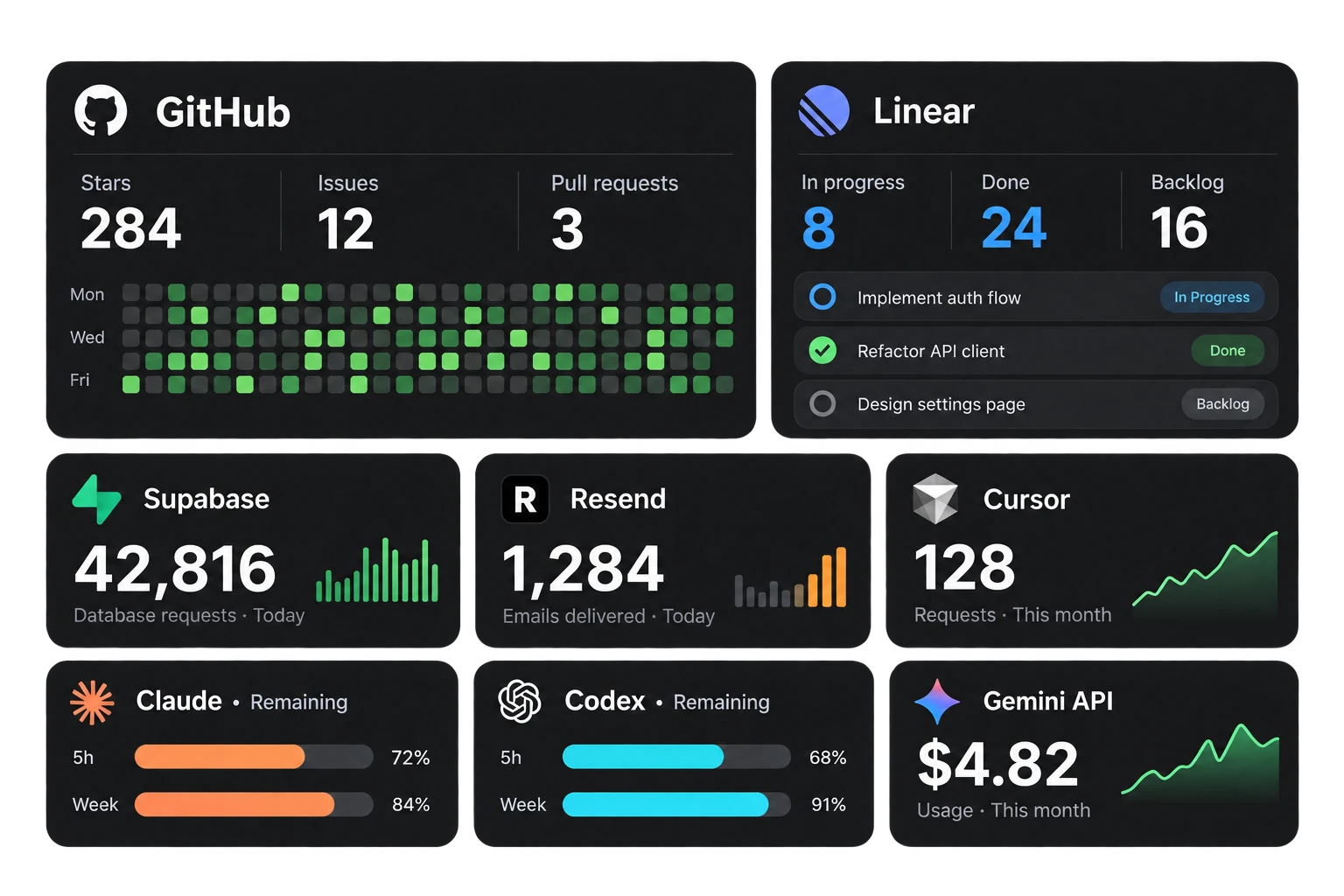
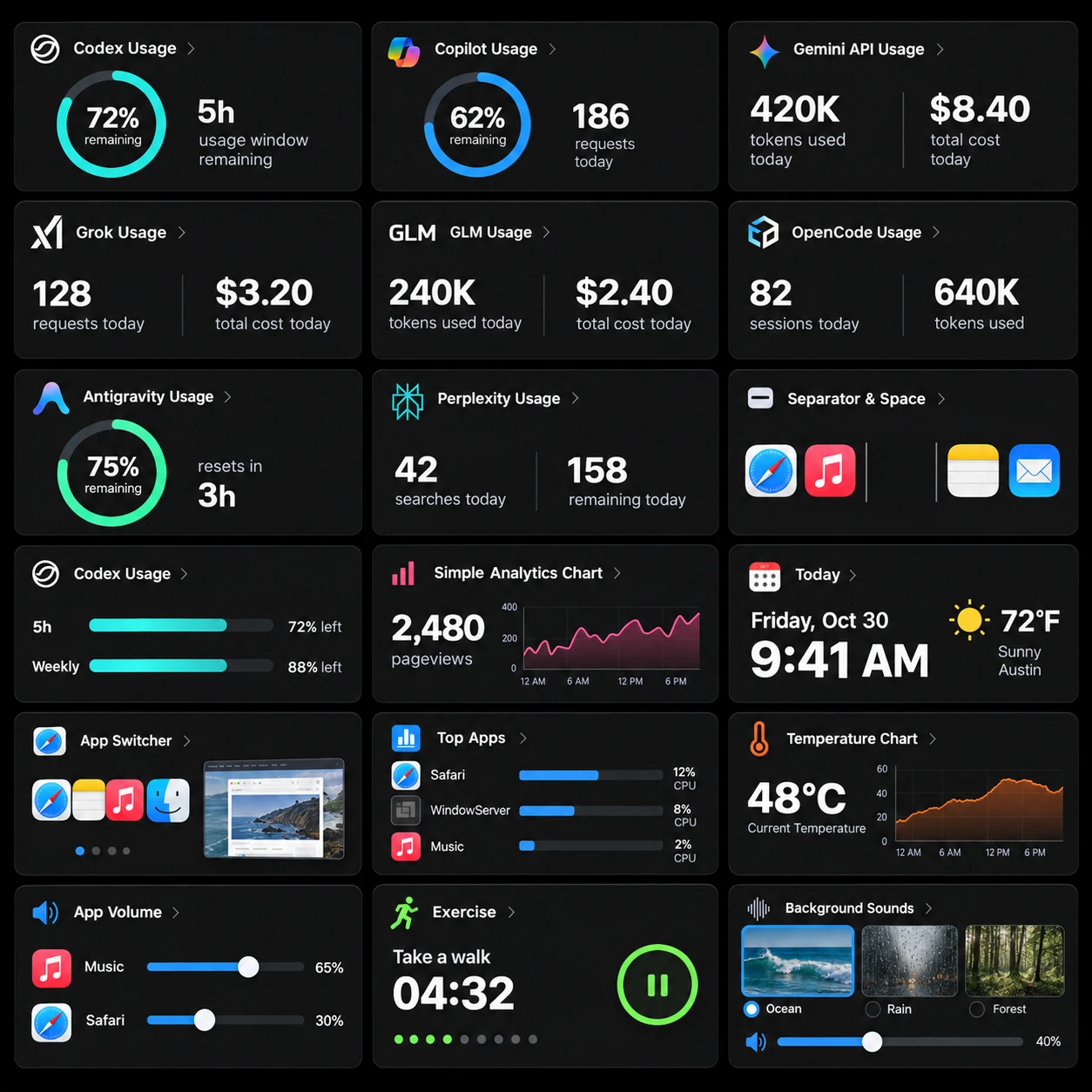
Illustrative GitHub activity, Linear issues, Supabase requests, Resend deliveries, Claude and Codex quota bars, Cursor requests, and Gemini usage.

Your Dock. Your way.

Choose a material, change the icons, and give each display its own profile. Save a setup for work, focus, or everything in between.

Radical DockFile   Edit   ViewFri 9:41
Time and dateAnalog clockApplicationsPomodoroQuick Toggles
Make yourself at homeCustomization tour · Video coming soon

Dark Glass · Alpine wallpaper

6 materialsGlass, solid, or transparent.

7 layoutsFind your place on the desktop.

Your profilesSwitch by display or schedule.

Familiar, down to
the details.

Real native controls. Room to read. The small decisions that make a tool feel at home on your Mac.

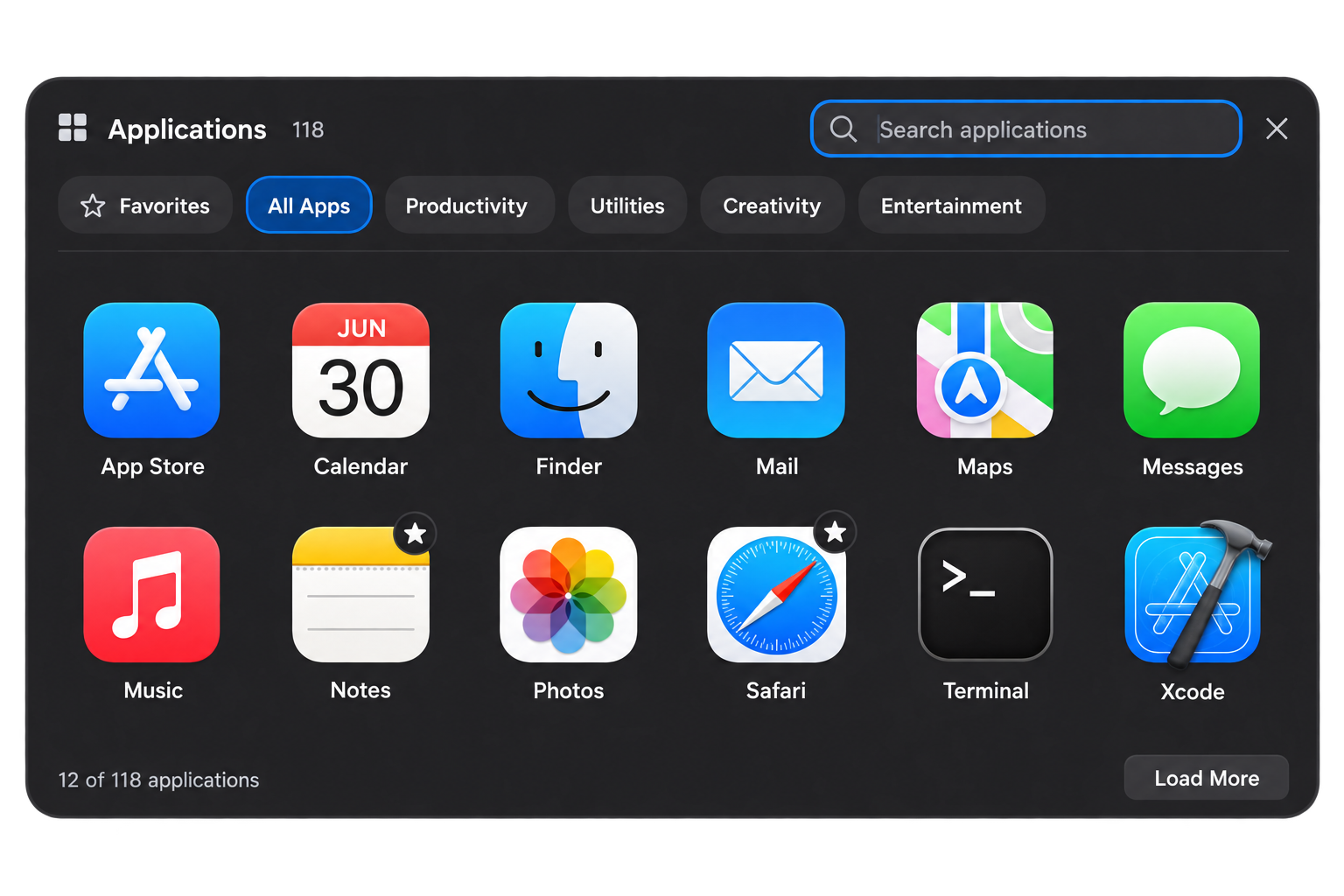
Apps you can find at a glance.

Search, filter, and favorite your apps in a spacious native gallery.

An illustrative native app gallery with twelve recognizable apps, category filters, search, and favorites.

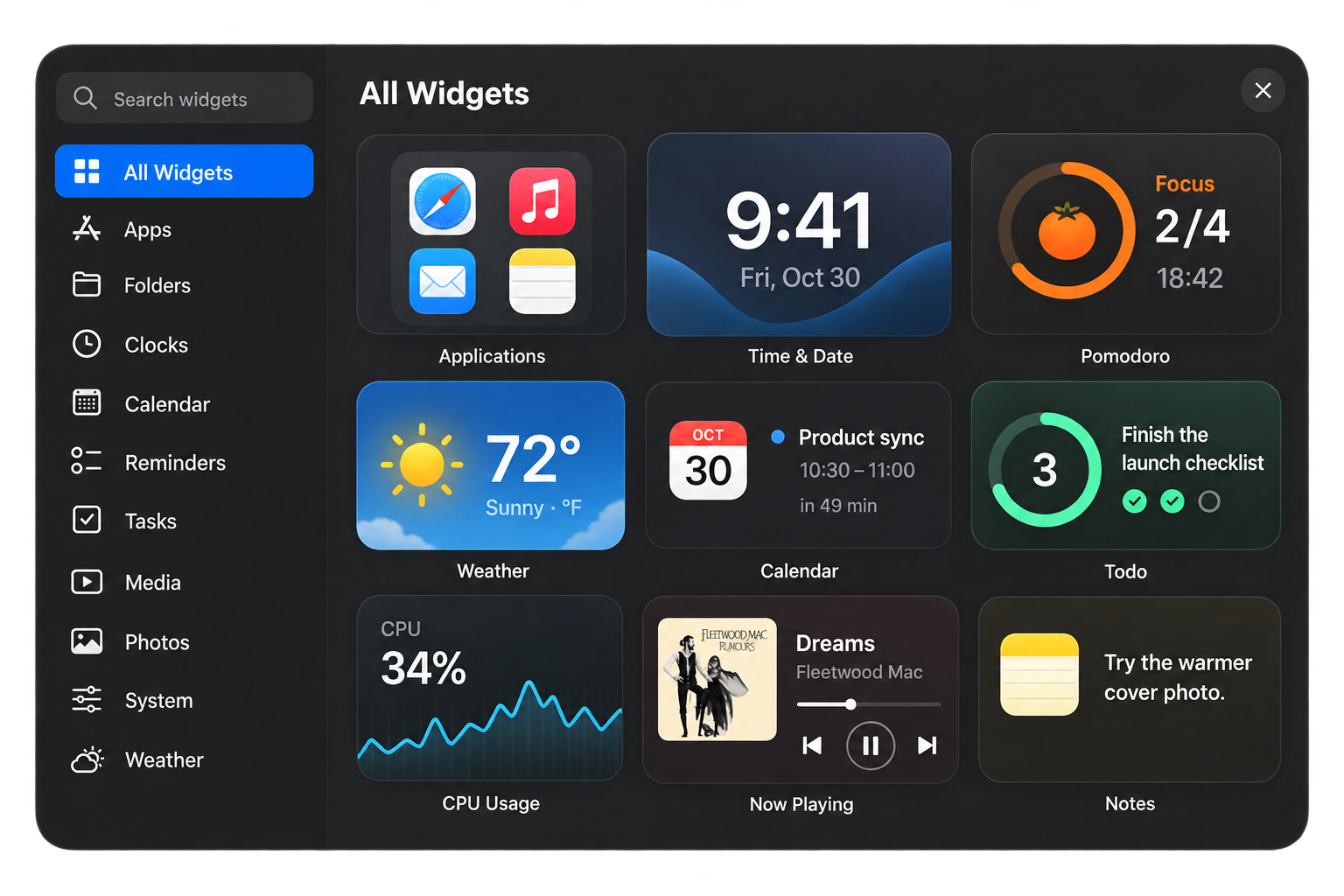
Pick what belongs in your day.

Browse the widget library by category, or go straight to a name.

An illustrative widget library with populated clocks, focus timer, weather, calendar, tasks, CPU activity, music, and notes.

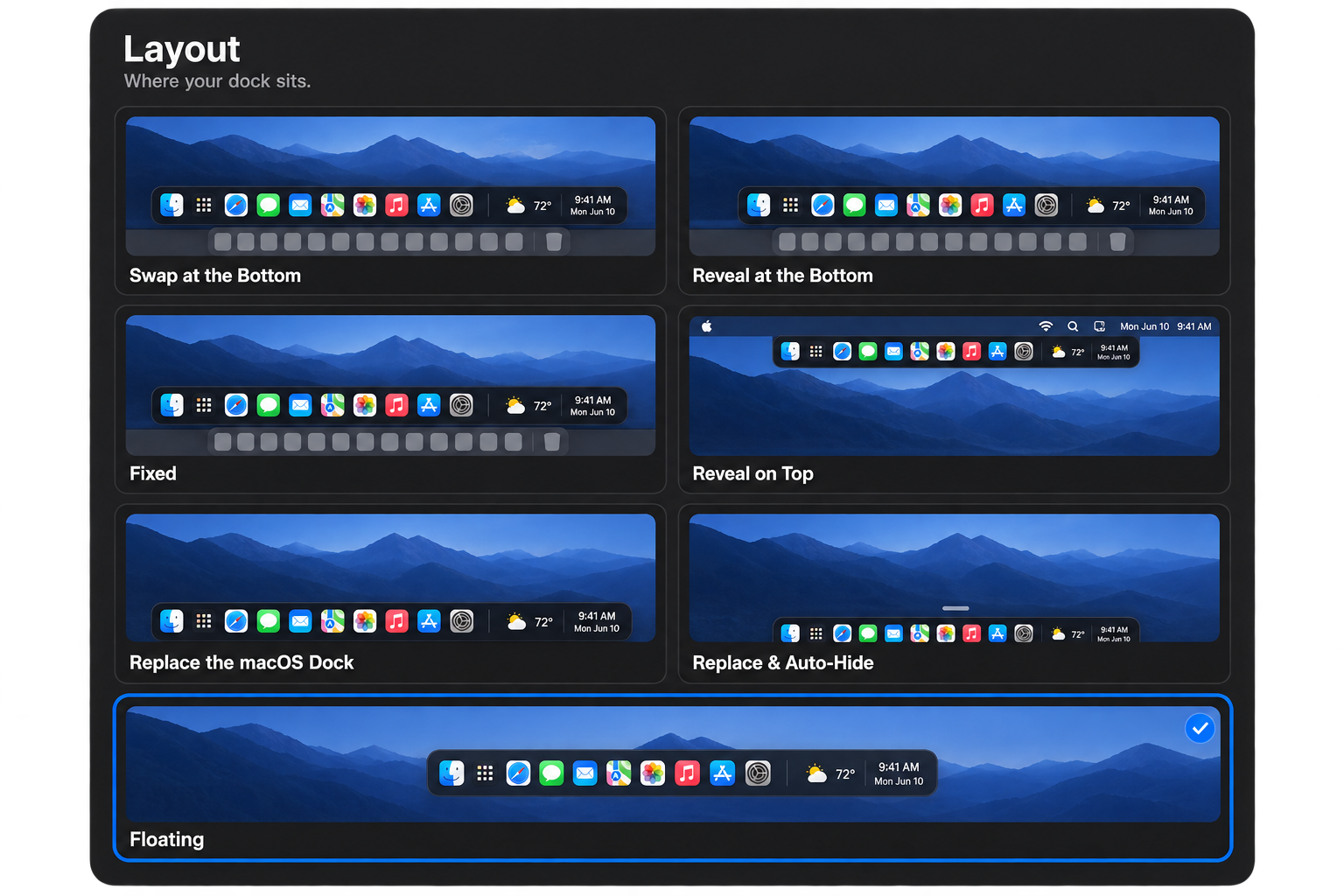
The right fit for your desktop.

Seven layout modes, from a floating dock to a fixed screen edge.

Seven Radical Dock layout modes shown with desktop previews: Swap at the Bottom, Reveal at the Bottom, Fixed, Reveal on Top, Replace the macOS Dock, Replace and Auto-Hide, and Floating.

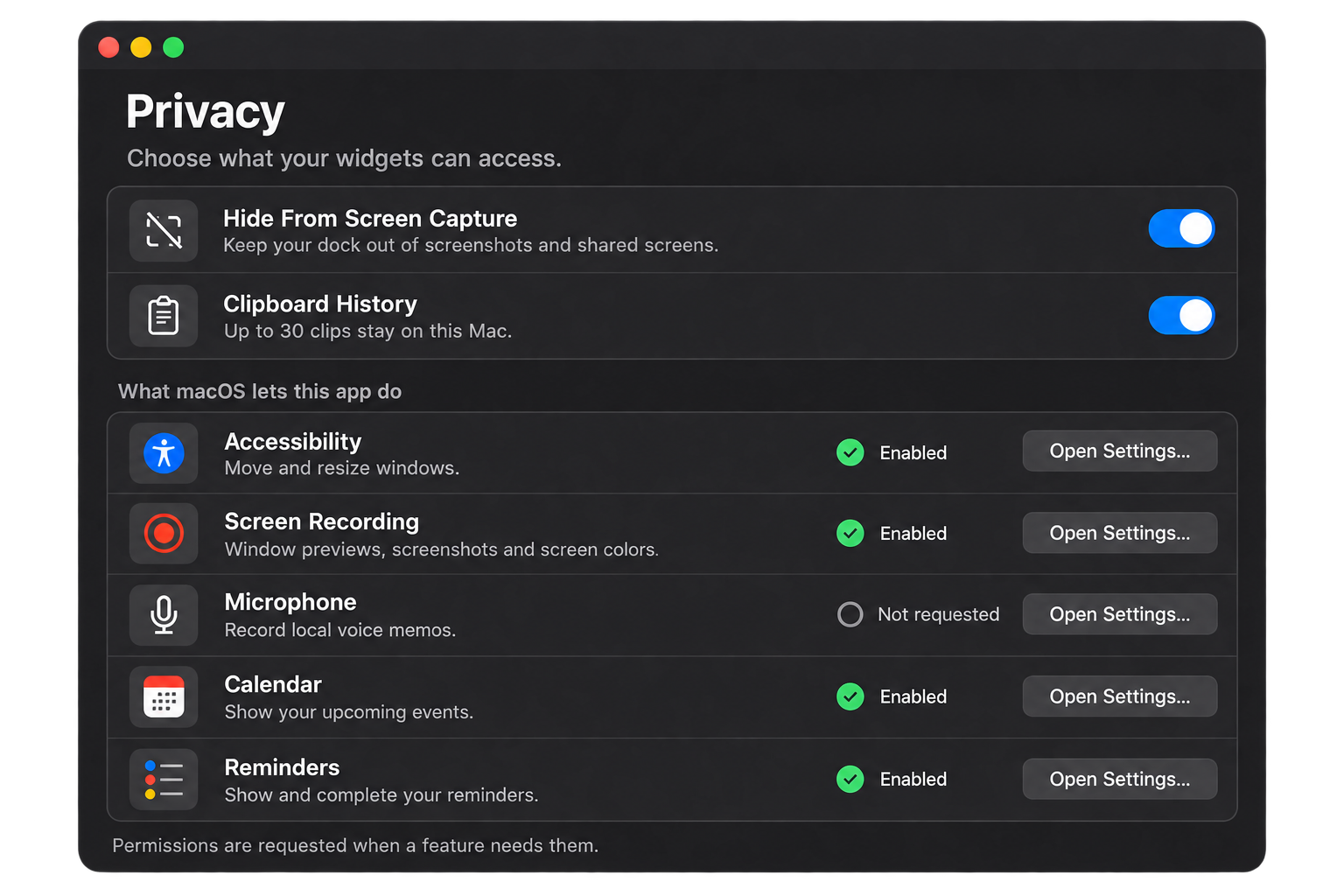
Permission, with a purpose.

See what a feature needs and review its access in one place.

Illustrative privacy preferences and five permission rows explaining Accessibility, Screen Recording, Microphone, Calendar, and Reminders access.

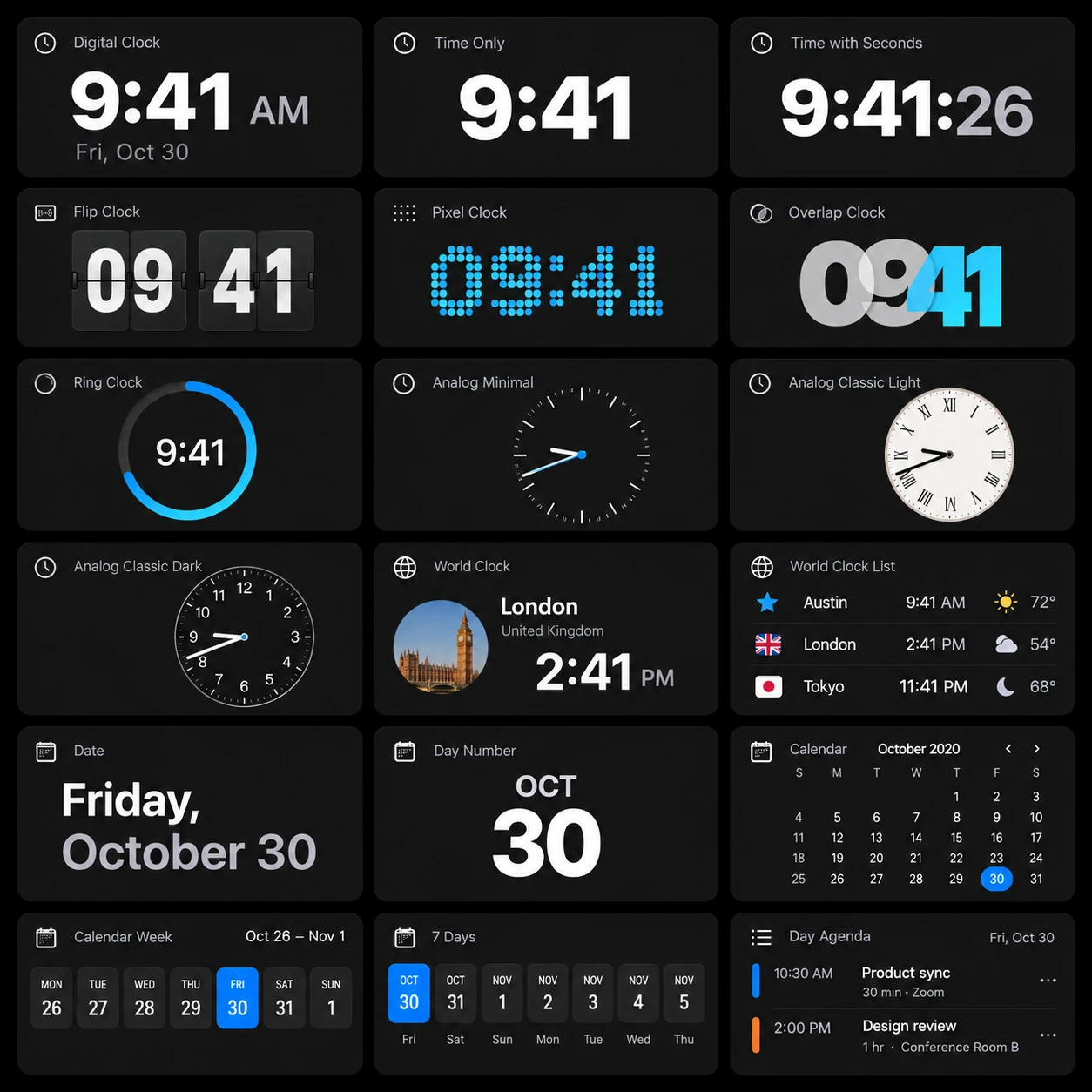
A widget for everything.
Make your dock radical.

Get Radical Dock

Yours. For $29.99.

One purchase. One Mac. Every app update included.

Radical Dock

$29.99USD · One-time payment

  • One active Mac at a time
  • All widgets and customization
  • Future app updates included
  • Move your license to a new Mac
  • No subscription or renewal

Any applicable tax is shown at checkout.

A few good questions.

What to expect from your new dock.
And how to make it yours.

What is Radical Dock?

Radical Dock is a native second dock for your Mac. Fill it with apps, folders, live widgets, and useful controls, then place it where it fits your workflow.

Does it replace the macOS Dock?

It can sit beside the original Dock. Layout options also let you use Radical Dock in place of it. You choose the arrangement in Settings.

What can I put in it?

The standard library includes more than 160 entries across apps, files, clocks, productivity, media, weather, system tools, and connected services. Individual widgets may need a permission or a service account.

Can I add my own apps and folders?

Yes. Browse and search your installed apps, keep favorites, create an app collection, or add a folder. Custom icons let you make the result your own.

Which Macs can run it?

Radical Dock supports macOS Sonoma 14 or later on Apple silicon and Intel Macs. The download is a universal Mac application.

Is it a subscription?

No. The license is $29.99 USD once, for one Mac at a time, with future app updates included. Any applicable tax is shown at checkout.

Which permissions does it need?

It depends on the widgets you use. Calendar and Reminders need access to their data, voice recording needs the microphone, and screen previews or capture need Screen Recording. Window management uses Accessibility. You can review access in Settings.

What happens to my clipboard?

Clipboard history is optional and stored locally. Concealed clipboard items are excluded. History is not included in exported settings or shared Spaces.

Does the app connect to the internet?

License activation and periodic license checks contact the licensing service; the updater checks the release feed. Weather and connected widgets contact their services. Integration credentials are kept in the macOS Keychain.

Can I use multiple displays?

Yes. Screen settings let you choose where the dock appears and assign a profile to a display. Profiles can also switch on a schedule.

Can I move my license to another Mac?

Yes. Release the license from the old Mac, then activate it on the new one. One license covers one active Mac at a time. For a missing key, use license recovery.

Can I share my setup?

Export a Space to share the appearance and widget arrangement. Importing shows a preview before applying it as a new profile. Your service credentials and private clipboard history stay out of it.

Product screenshot

Native macOS app · Your own profiles · One-time purchase